1. Introduction
To help organizations stay compliant and operate efficiently, HR HUB has integrated a smart Paid Break Mechanism tailored for Cayman Labor Law. Whether your business tracks attendance using basic punch methods or detailed in/out logs, HR HUB ensures you're aligned with the law without complicating your workflows.
2. Cayman Islands Labor Law: What Does It Say About Paid Breaks?
Under the Cayman Islands Labour Law (2021 Revision), employees are entitled to a minimum 30-minute paid break after working 4 consecutive hours.
This break:
Must be uninterrupted and clearly recorded
Should be paid (not deducted from total wages)
Cannot be waived or merged with other time segments
This rule is especially important for companies in sectors like retail, wellness, hospitality, and service industries, where shift-based and hourly employment is common.
Noncompliance can lead to labor disputes, penalties, and negative employee morale. That’s why tracking and enforcing this rule accurately is crucial.
3. Common Attendance Tracking Methods in Cayman Workplaces
Before we explore HR HUB's solution, it's important to understand how companies typically capture attendance:
A. First & Last Punch Method
Records only the first IN and last OUT punch of the day
Calculates total worked hours based on the entire span of time
Assumes any breaks occurred during the day, but does not explicitly record them
Risk: May result in inaccurate paid break compliance since no actual break punches are captured
B. Actual In/Out Punches Throughout the Day
Requires at least 4 punches (IN > OUT > IN > OUT)
Captures actual break duration based on when employees leave and return
More accurate for compliance and audit tracking
Recommended for employers who want granular control
HR HUB supports both methods, but encourages Method B for accurate break deduction and legal compliance.
4. HR HUB’s Paid Break Mechanism: How It Works
HR HUB's Attendance & Payroll modules now support a dynamic Paid Break Mechanism specifically designed to comply with Cayman laws.
A.Enable Paid Break for the Employee
Before the system can apply any logic for paid break compliance, HR HUB allows you to enable or disable Paid Break eligibility at the employee level.
This setting can be managed from the Employee Information > Attendance tab in the employee’s profile.
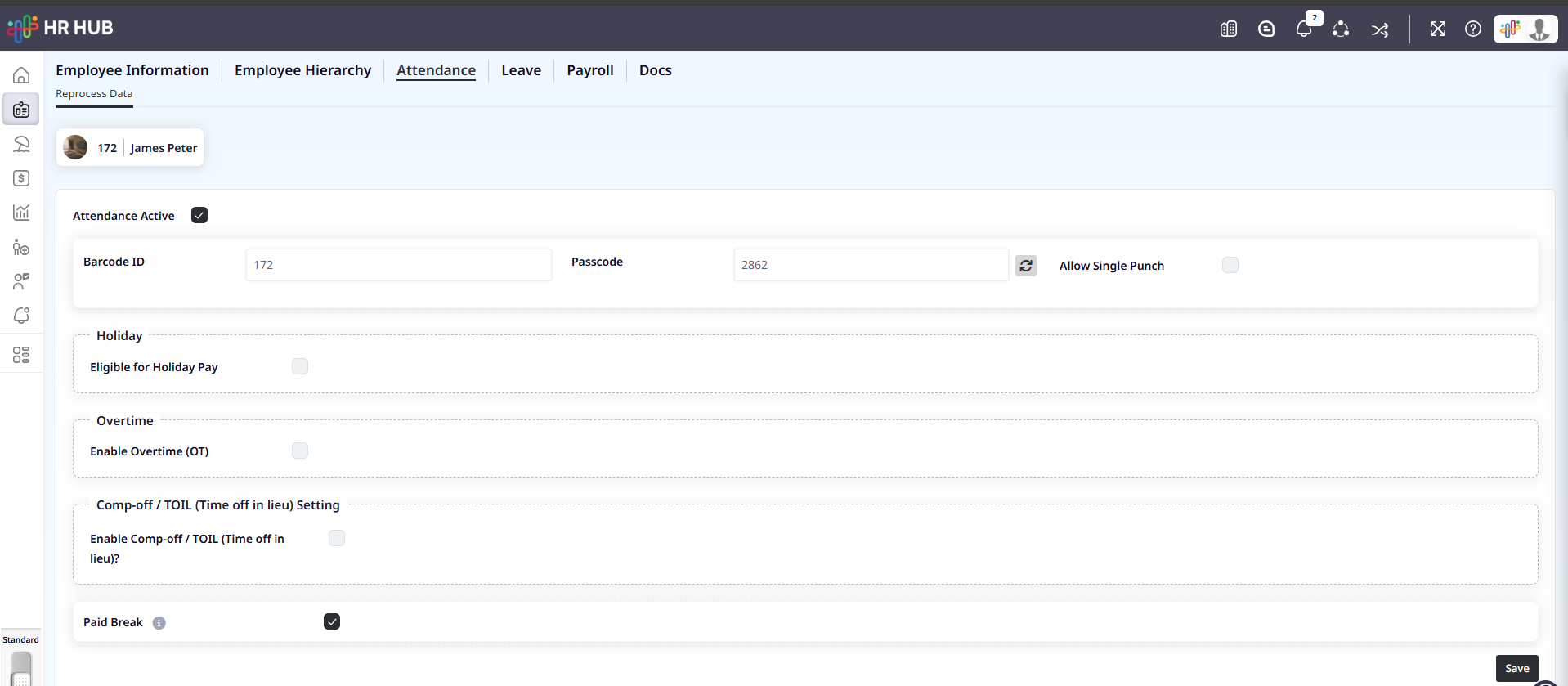
As shown in the screenshot above, the “Paid Break” toggle must be enabled for each employee who should receive paid breaks.
Once activated, the system will begin applying the applicable paid break rules based on attendance patterns and your company’s configuration.
B. Configurable Logic
Admins can set:
Minimum continuous work hours before a paid break apply (e.g., 4 hours)
Break duration (typically 30 minutes)
Option to apply the rule based on the punch method:
Auto-apply for First & Last Punch Method
Calculate from punch gaps for the Actual In/Out Method
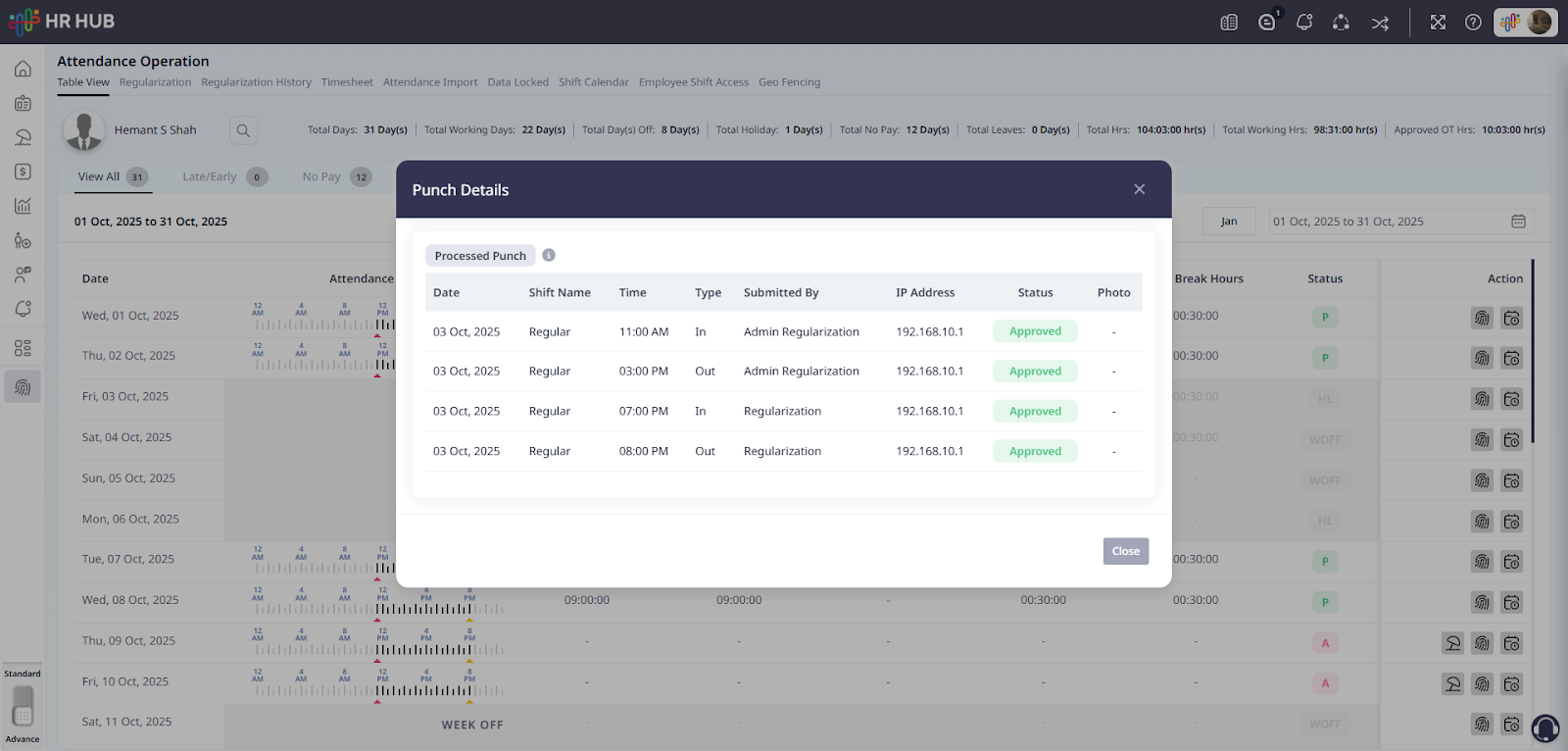
This screenshot displays a typical 4-punch entry captured within the HR HUB Attendance Operation module.
These multiple in/out records allow HR HUB to accurately detect break durations. In this case, the system calculates a mid-day break between 3:00 PM and 7:00 PM and applies a 30-minute paid break in line with Cayman Islands compliance rules.
All punches show a status of Approved, with metadata like IP address and submission method for audit transparency.
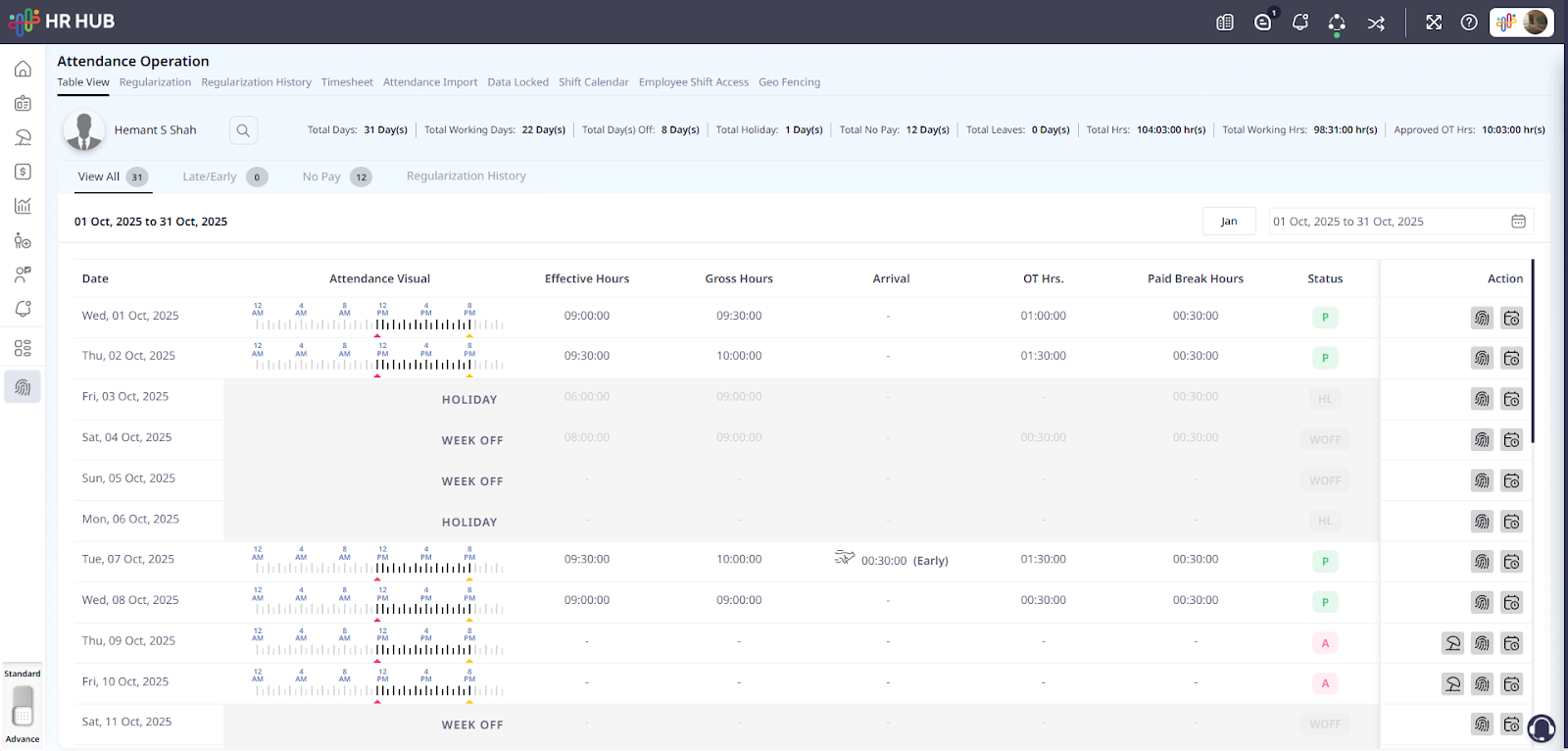
This broader view of the Attendance Table shows multiple dates and key attendance metrics for each working day.
This summary allows HR and Admin teams to quickly identify if paid breaks were correctly applied and whether overtime or exceptions require attention.
C. Smart System Behavior
D. Visibility & Controls
View break compliance logs
Override or approve exceptions
Break duration is clearly shown in:
Attendance Summary
Payroll Calculation Preview
Payslips
5. Payroll Calculation Integration
HR HUB ensures:
Paid break time is not deducted from payable hours
Any extra unpaid breaks beyond the entitled time are logged and excluded from pay
Overtime is triggered only after the full shift duration, excluding the paid break
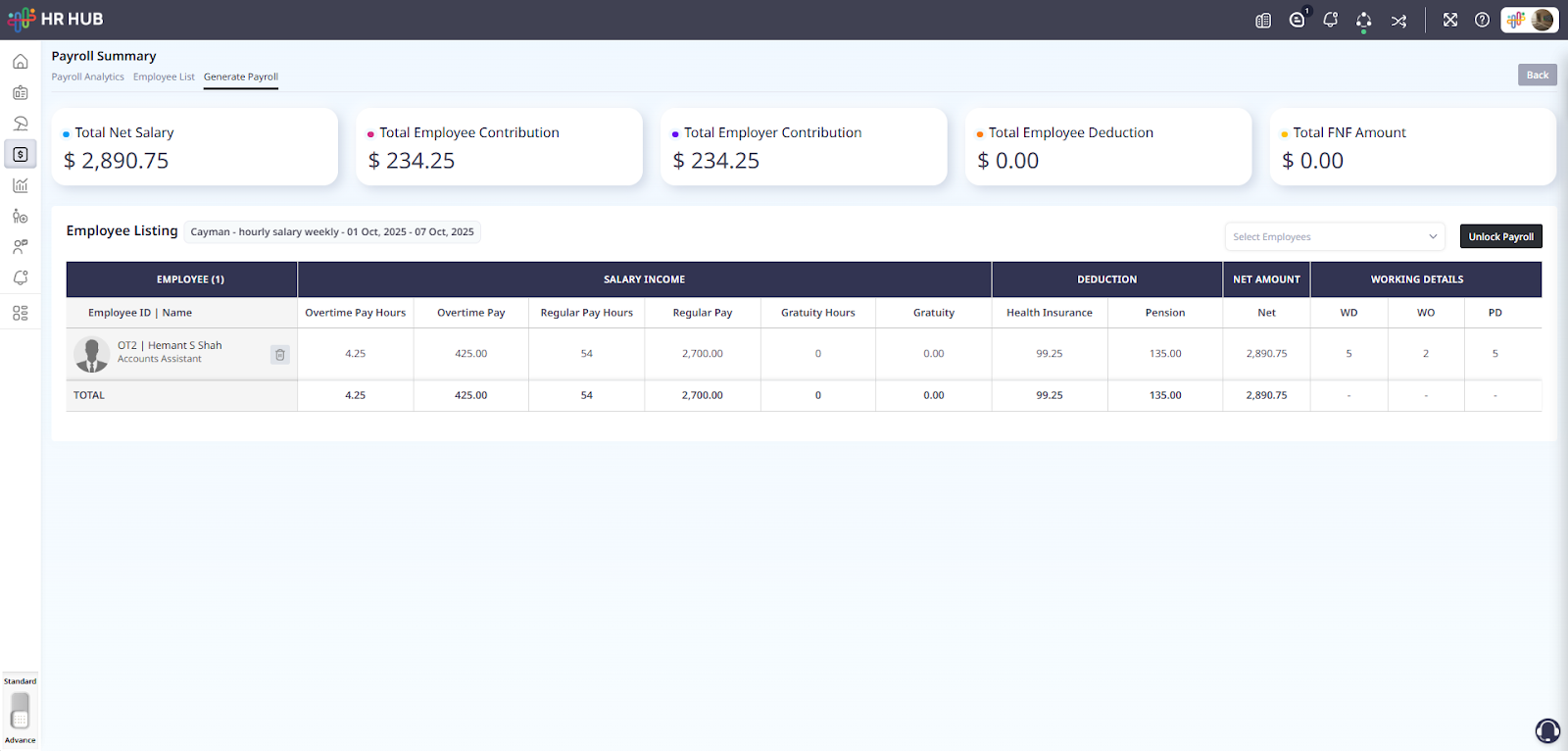
This screenshot highlights the Payroll Summary screen for a weekly payroll cycle in HR HUB, specifically for the Cayman Islands hourly salary configuration.
HR HUB ensures paid break time is counted as payable time without requiring manual adjustments, offering seamless integration between attendance tracking and payroll generation.
This ensures precise payroll generation, transparent reporting, and legal consistency.
6. Summary
The Cayman Islands' paid break requirement ensures fairness for workers and clarity for employers. But tracking and applying it manually can be messy.
With HR HUB, you don’t need to worry. Whether you’re using simple punch-in/punch-out attendance or detailed in/out logs, the platform intelligently calculates and enforces the rules that matter.
Stay compliant, pay accurately, and manage confidently with HR HUB.
Was this article helpful?
That’s Great!
Thank you for your feedback
Sorry! We couldn't be helpful
Thank you for your feedback
Feedback sent
We appreciate your effort and will try to fix the article